
Synced across your devices. Stored on no one else's.
Not your server, not your passwords.
Password365 keeps your passwords, passkeys and one-time codes in sync across your computer, phone and tablet — without ever putting them on a server you don't control. No account, no cloud.
Free on your computer. iPhone and iPad coming soon.
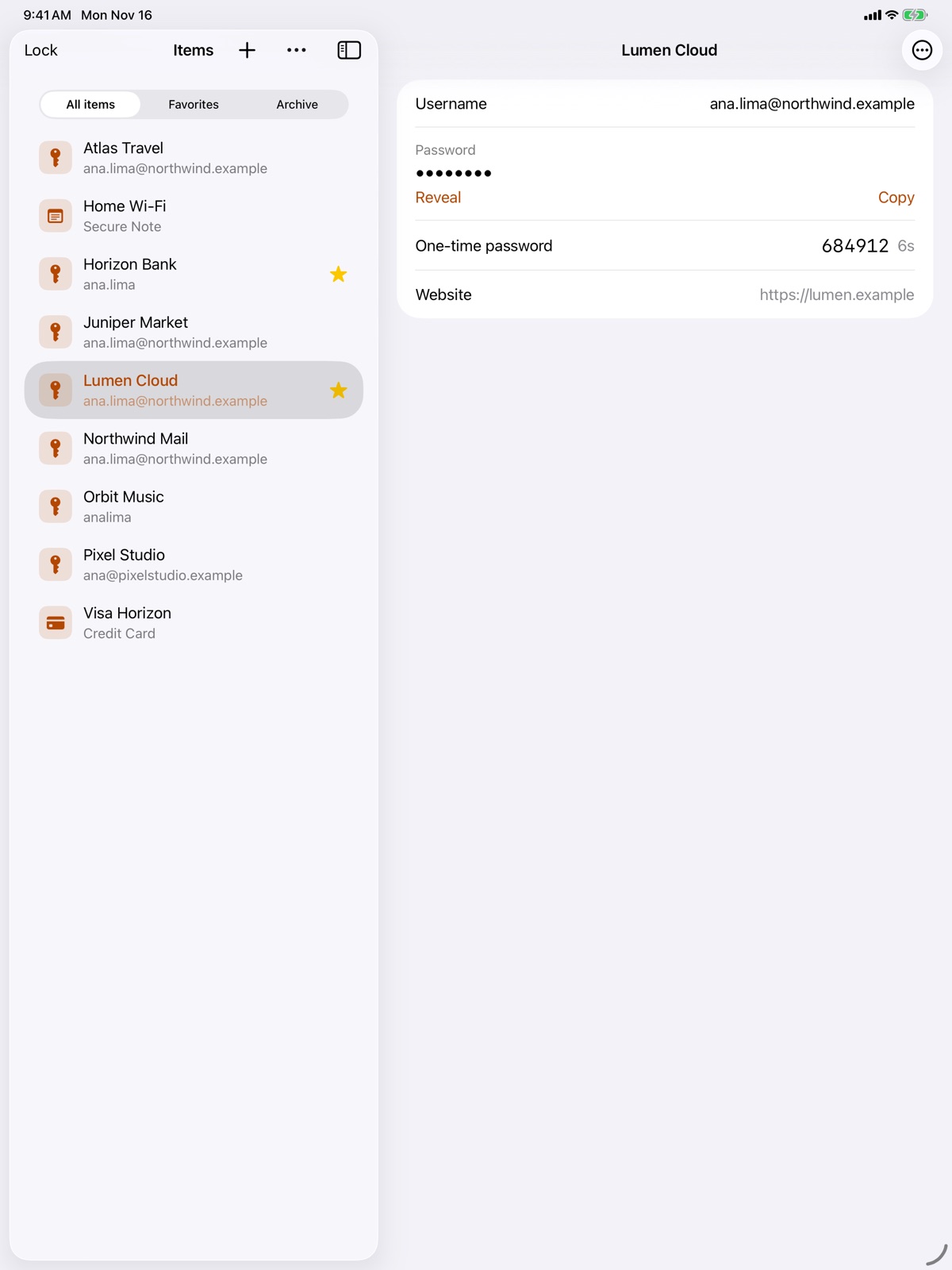
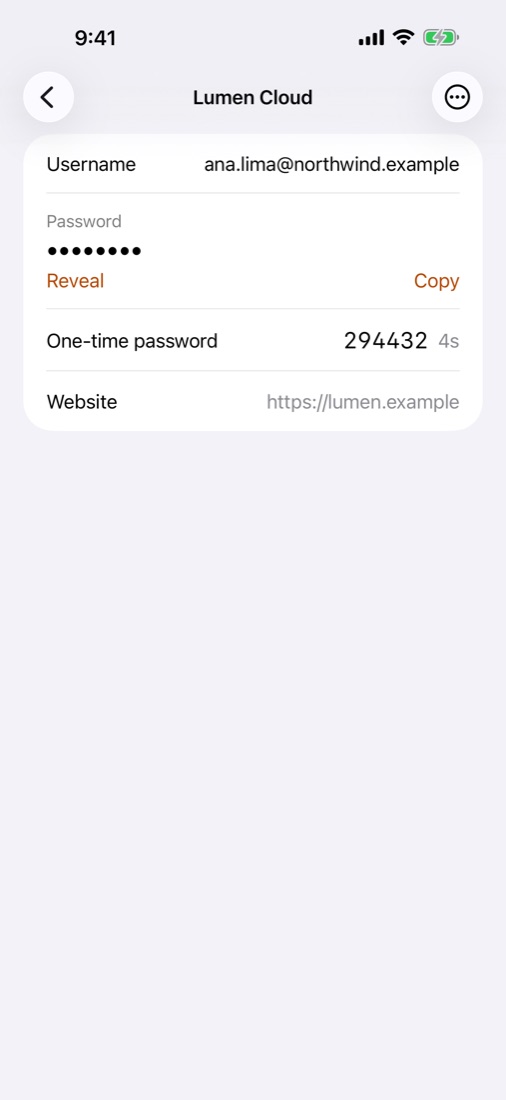
- Syncs across your devices
- No cloud servers
- No tracking
- End-to-end encrypted
Why not the cloud?
Cloud password managers encrypt your vault too. But they keep it — and millions of others — on their servers.
One target, millions of vaults
A server holding everyone's encrypted vaults is worth attacking. When one is breached, attackers take the vaults with them and can keep guessing at the passwords for as long as they like.
Your copy, your rules
With Password365 your vault lives only on your devices, kept in sync between them. There is no copy on anyone else's server to steal, leak or lose access to.
Works without the internet
No outage, no lost account and no change of terms can lock you out of your own passwords.
Crypto holders say: not your keys, not your coins. The same is true of passwords: if they live on someone else's server, they are only as safe as that server.
All your devices in sync. No cloud in between.
Not an offline vault you have to copy around: add as many computers, phones and tablets as you like and they keep each other up to date automatically. They talk directly, on your own network — your vault never goes through a server, ours or anyone else's.
Pair once
Scan a QR code shown on your computer with your iPhone. That is the whole setup.
Change anywhere
Add or edit items on any device. Each change is encrypted before it leaves the device.
Stay in sync
The next time both devices are on the same network, they exchange what changed. No account, no subscription to a cloud.
Everything a password manager should do
The features you expect, on your own devices.
-
Fills in for youUsernames, passwords and one-time codes filled in on websites and apps, from the browser extension and from AutoFill on iPhone and iPad.
-
PasskeysCreate and use passkeys on any site that supports them, and keep them with the rest of your logins.
-
Two-factor codes built inAdd the setup key once and Password365 shows the code, and fills it in together with your password.
-
WatchtowerFinds weak, reused and old passwords, and logins that could use two-factor authentication. Checked on your device.
-
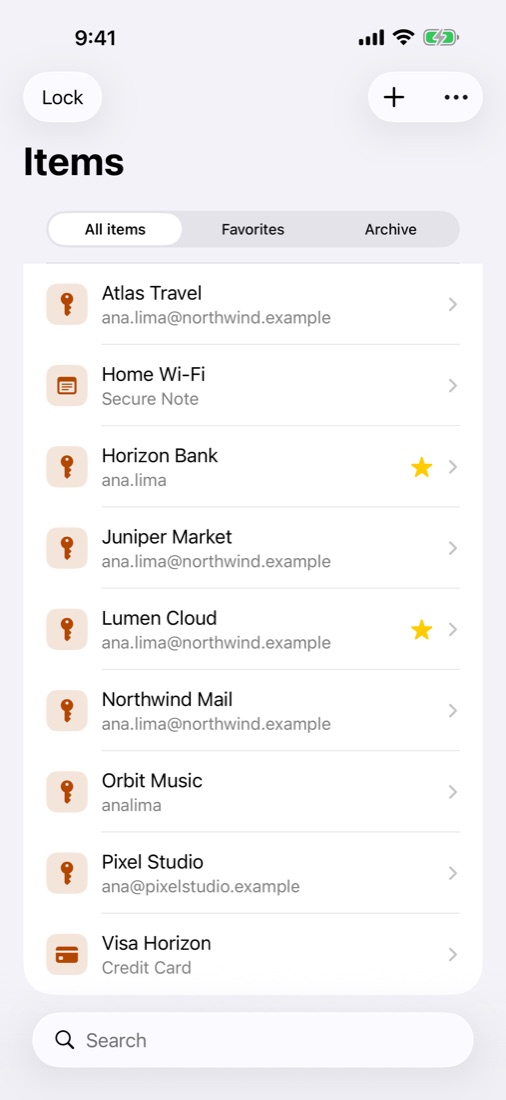
More than passwordsCredit cards, identities, secure notes, bank accounts, passports, Wi-Fi, SSH keys, documents and more than 20 categories, with the right fields for your country.
-
Strong passwords on demandRandom passwords, easy-to-type passphrases and PINs, generated on the spot.
-
Quick AccessA keyboard shortcut opens your vault over any app on your computer: search, copy, done.
-
Files and documentsAttach scans and files to any item, encrypted like everything else.
-
For developersAn SSH agent for the keys in your vault, and auto-type for apps that do not accept filling.
Security
Encrypted before anything else happens
Your vault is unlocked by two secrets: the master password you remember and a Secret Key that is created on your device and never leaves your hands.
Two keys, not one
Even someone with a copy of your vault file and a lucky guess at your password cannot open it without your Secret Key.
Modern, proven cryptography
Argon2id makes guessing your password slow and expensive. XChaCha20-Poly1305 encrypts and authenticates every item.
Nothing to breach
There is no central server holding everyone's vaults, so there is no central server to break into.
Bring your passwords with you
Import from your browser or your current password manager in a few clicks. Logins, cards, notes, passkeys and attachments come along where the export includes them.
- 1Password
- Bitwarden
- KeePass
- KeePassXC
- LastPass
- Dashlane
- Proton Pass
- Chrome
- Safari
- Firefox
- Edge
and CSV or CXF files from other apps
On the devices you use
Mac
Free
Windows and Linux
Coming soon
Chrome, Edge and Firefox
Free extension
iPhone and iPad
Coming soon to the App Store
Questions
Is this an offline password manager where I copy the vault file myself?
No. Password365 syncs automatically between all your devices, like a cloud password manager does — the difference is that the devices talk to each other directly instead of through someone else's server. There are no files to move by hand.
What happens if I lose my phone?
Your vault is encrypted and locked with Face ID or Touch ID and your master password. Your items are still on your computer, and you can set up a new phone from it.
What if I forget my master password?
Nobody can reset it for you — that is what keeps your vault private. Keep your Emergency Kit (it has your Secret Key and room to write your password) somewhere safe, and back up your vault from the app.
Do I need to be on the same network to sync?
Yes. Devices sync when they can reach each other on the same network. In between, each device keeps working on its own with everything it has.
Does Password365 use the internet at all?
Only if you turn on the check for passwords found in data breaches (off by default). It sends the first 5 characters of a hash of each password, never the password itself.
Can I move my data out later?
Yes. Export everything to CSV or to the Credential Exchange Format (CXF), which other password managers can import, passkeys included.
Take your passwords back.
Free on your computer. No account needed.